Troubleshoot Power Supply
Updated on July 4, 2025
💡 Overview
The Power Supply Unit (PSU) delivers power to every component in your computer. A failing PSU can mimic symptoms of failing motherboards, CPUs, or even RAM — making it one of the hardest components to isolate without proper tools.
Common symptoms of PSU issues include:
- System not powering on
- Random reboots or shutdowns
- No POST or intermittent power
- Burning smell, clicking, or coil whine
🧰 Tools You’ll Need
- 🔌 Spare Known-Good PSU (if available)
- 🔧 Multimeter (for voltage testing)
- 🧪 PSU Tester (optional but useful)
- 🔄 Paperclip Test (quick jump-start)
- 📈 OCCT or HWiNFO (for software-level PSU sensor monitoring)
🪜 Step-by-Step Diagnostic Process
- ✅ Visual & Smell Check
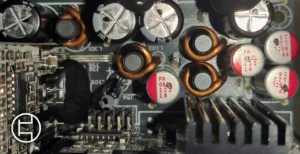
- Look for blown capacitors, melted cables, or discolored connectors.
- Smell the PSU exhaust area — a burnt smell is a red flag.
- 🔌 Paperclip Test (Jump Start PSU)
- Unplug the PSU.
- Bridge the green wire and any black wire on the 24-pin connector with a paperclip.
- Plug the PSU back in and turn it on.
- If the fan doesn’t spin, the PSU is dead or in protection mode.
- 🔎 Multimeter Voltage Check
- Test voltage on:
- +3.3V rail (orange)
- +5V rail (red)
- +12V rail (yellow)
- Acceptable range: ±5% tolerance (e.g., 12V rail should be between 11.4V–12.6V)
- Test voltage on:
- 🧪 Try PSU in Another System (If Possible)
- If the PSU powers another system stably, the issue may be elsewhere.
- 🔄 Try Known-Good PSU in Current System
- Swap in a known-good PSU to rule out power as the cause.
- 💻 Check Software Sensors
- Use HWiNFO, Open Hardware Monitor, or OCCT to log voltage dips under load.
- Sudden drops in +12V, +5V, or +3.3V lines indicate instability.
📉 Example Symptoms and What They Mean
| Symptom | Possible PSU Cause |
|---|---|
| System won’t turn on | Dead PSU or bad motherboard |
| PC restarts under load | Insufficient wattage or voltage drops |
| Random shutdowns | Overheating or triggering OCP/OVP |
| Clicking or buzzing sounds | Failing internal fan or coil whine |
| GPU/CPU not getting power | Bad rail or missing connector |